
Combining Streaming and Batch Data on AWS to Monitor Weather and Floods — Part 1/3
The idea of this project is to show how Streaming and Batch data coexist in the AWS environment.

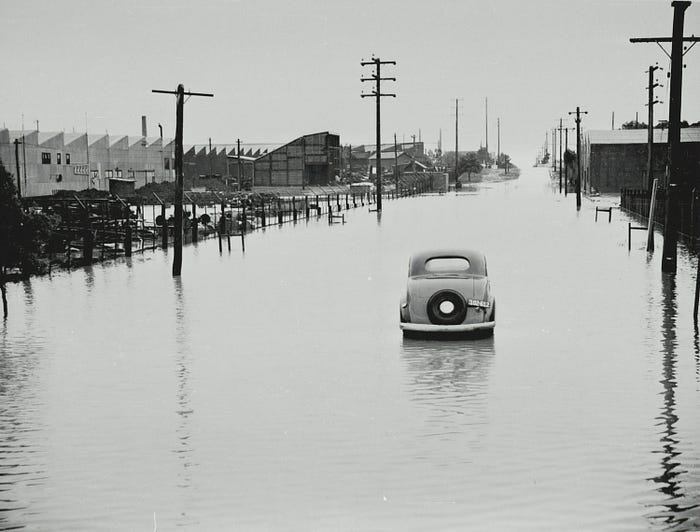
In this project, we will assist a fictional city in Brazil that deals with floods by monitoring the weather, creating two functionalities.
The first functionality is an alert system that notifies Civil Defense when the probability of rain reaches a specified value. This alert system will be the Real-Time (Streaming) part of our project.
The second part of our project involves storing the generated data in a database to generate visualizations and perform analyses later on.
Proposed Architecture
In this project, we will consume data from an API (more on that below). Except for the API, all our tools are AWS tools.
They are:
Lambda
A service for executing programmed codes or those triggered by an event. In our project, we will use Lambda functions as Consumers and Producers.
CloudWatch
A service to monitor and manage our AWS resources.
Kinesis
Kinesis will be our broker. It allows processing large volumes of data in real-time. In this project, we will particularly use Kinesis Data Stream.
S3
Our bucket. It will be used as a Data Lake to receive data in the RAW layer and also in our Gold layer.
Glue
Our ETL tool. We will use the crawler to automatically detect the data schema and the Data Catalog.
Athena
After loading all the data, we will perform analyses using SQL with Athena.
SNS
A notification service that will be responsible for alerting us if any parameter exceeds the pre-established values.
Getting to Know the API
We will use the tomorrow.io API. It’s a weather data API that provides real-time information. For the project, we will use the free plan.
Testing the API
We will use the code below to make a test request to the API and validate what it provides.
Importing libraries:
import json
import requests
Fill some info:
latitude = -23.5358
longitude = -46.5404
TOMORROW_API_KEY = {INSERT_YOUR_API_KEY}
url = f"https://api.tomorrow.io/v4/weather/realtime?location={latitude},{longitude}&apikey={TOMORROW_API_KEY}"
In this part of the code, it’s important to insert your API key generated on tomorrow.io after creating an account. And the latitude of your choice; this latitude is from a random place in the city where I live.
Making the request:
headers = {"accept": "application/json"}
response = requests.get(url, headers=headers)

# If the error code is 200, the request was successful
if response.status_code == 200:
    data = response.json()
    print(json.dumps(data, indent=4))
else:
    print(f'Request error: {response.status_code}, message: {response.json().get("message", "")}')
If everything is correct, we should receive a JSON file similar to this:
{
    "data": {
        "time": "2024-08-24T10:23:00Z",
        "values": {
            "cloudBase": 0.3,
            "cloudCeiling": 0.3,
            "cloudCover": 100,
            "dewPoint": 13.88,
            "freezingRainIntensity": 0,
            "humidity": 86,
            "precipitationProbability": 0,
            "pressureSurfaceLevel": 929.69,
            "rainIntensity": 0,
            "sleetIntensity": 0,
            "snowIntensity": 0,
            "temperature": 16.31,
            "temperatureApparent": 16.31,
            "uvHealthConcern": 0,
            "uvIndex": 0,
            "visibility": 9.35,
            "weatherCode": 1001,
            "windDirection": 105.81,
            "windGust": 4.38,
            "windSpeed": 2.5
        }
    },
    "location": {
        "lat": -23.5358,
        "lon": -46.5404
    }
}
We will use various information contained in this JSON to create the real-time alert and store relevant data in a database.
Breaking Down the Real-Time Architecture
Remember, the project’s objectives are an alert system and a structured database.
Focusing on the Streaming part, we will have the following structure:
API: We call the API with a Lambda function in Python that will receive the data.
CloudWatch: With CloudWatch, we will create an event to trigger the API.
Broker: The Kinesis Data Stream will receive data from the Lambda function and distribute it to all subscribers.
We will have two consumers for the Broker: A batch consumer and a real-time consumer. Both will be Lambda functions.
SNS: It will come into action, sending an alert via SMS and email if any defined parameter is exceeded.
In the next post, we will develop the Real-Time part of the project, breaking down each part and the code used.
This project was based on the project proposed in Professor Fernando Amaral’s course.